Sharp Aquos LC-55CFE6352E remote not working
2026-01-18
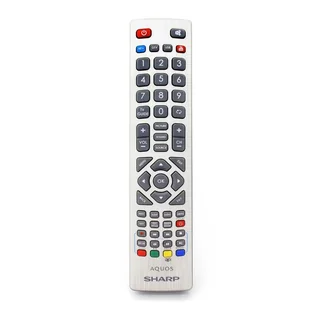
However the potential candidates could be:
- The TV wasn't turned on for around a month
- The battery in the remote was dead for a longer period of time
- There were some power outages during the month
- A combination of some of the previousThis TV remote is not IR (you have to point at the telly), it is RF, which means it uses radio waves, hence you don't have to point. Also, the insides may not look as you woul've suspect.The fix is fairly simple, but I spent some time, measuring the electronics using a multimeter and searching the internet for replacement remote. All of this lead me to the ultimate solution, but none of it is the best way to go about it.The general solution is:
- Turn of your TV
- Unplug it from the wall
- Wait for anyting 'live' on the TV (diode) to turn off and then wait something like 10 additional secons
- Plug the TV back in the wall
- Pair your remote
- Turn your TV on using your remote, because it works now

For me it was to press the green and yellow buttons on the bottom of the remote at the same time and for three seconds.
I also found on the internet to press two middle bottom buttons, which incidentally apply to my case too.Good luck!